Test
The tests for the project can be found in the test directory. There are unit and integration tests written for the project. The testing library used is Google Test because of its versatility, popularity and CLion's built-in support for the library. The library is automatically downloaded in CMake load phase.
Run tests
Since CLion supports Google Test it automatically recognizes them. That means you can open a test file and click on the green arrow at the line of any tests.

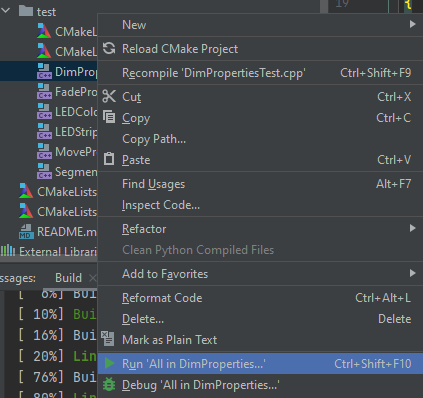
Also you can run all the tests in a file by right clicking on any .cpp file and selecting the test run button.
Run all the tests
Running all the tests is a little bit trickier. It requires us to create a new
configuration. For that click on Run > Edit Configurations...

Add a new configuration and select Google Test from the list. In the target
field select jcore_test. You should see something like this:

Now the new configuration should appear in the dropdown list. Select your new configuration and execute it. You can choose any platform to run your tests but supposedly it will be the fastest on your local computer.
