Login
In order to reach backend resources , users have to log in. At the moment this is only possible with an existing Spotify account using OAuth2 protocol. This method has different advantages. Firstly there is no need to store sensitive user information like email address or password. Secondly it's a really good user experience because it's not required to register on yet another site and remember yet another password. The only possible disadvantage is that someone does not have a Spotify account. However the core functionalities on this site are only available through Spotify so it's not a concern.
OAuth2
In order to understand the process of login some terminology needs to be known.
The OAuth2 protocol defines 4 roles:
Resource Owner
In this case this is the user who has their resources on the server. E.g.: The currently played track
Resource/Authorization server
These two roles can be viewed as one. From our application's point of view both of them are the Spotify servers. These servers store the resources and process the authorization. They might be two different entities on the Spotify side but it does not matter in this case.
Client application
This is our application which offers a service for the Resource owner so they can use their resources.
Authorization flow
There are more authorization flows supported through OAuth2. Spotify supports 4 of them. Every one of them have their advantages and disadvantages. This table summarizes them:
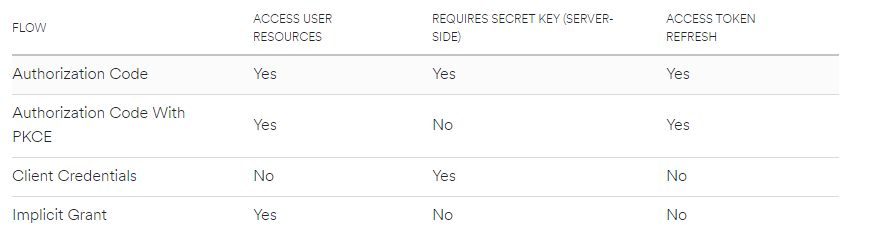
In this application the Authorization Code flow makes the most sense. We need
access to the user specific resources and access token o the Client
Credentials and the Implicit Grant doesn't work. The Authorization Code with
PKCE is useful when the Spotify secret key cannot be stored securely in the
application(e.g.: The authorization runs on client side). Since it can be stored
in the backend the Authorization Code is the best choice in this scenario.
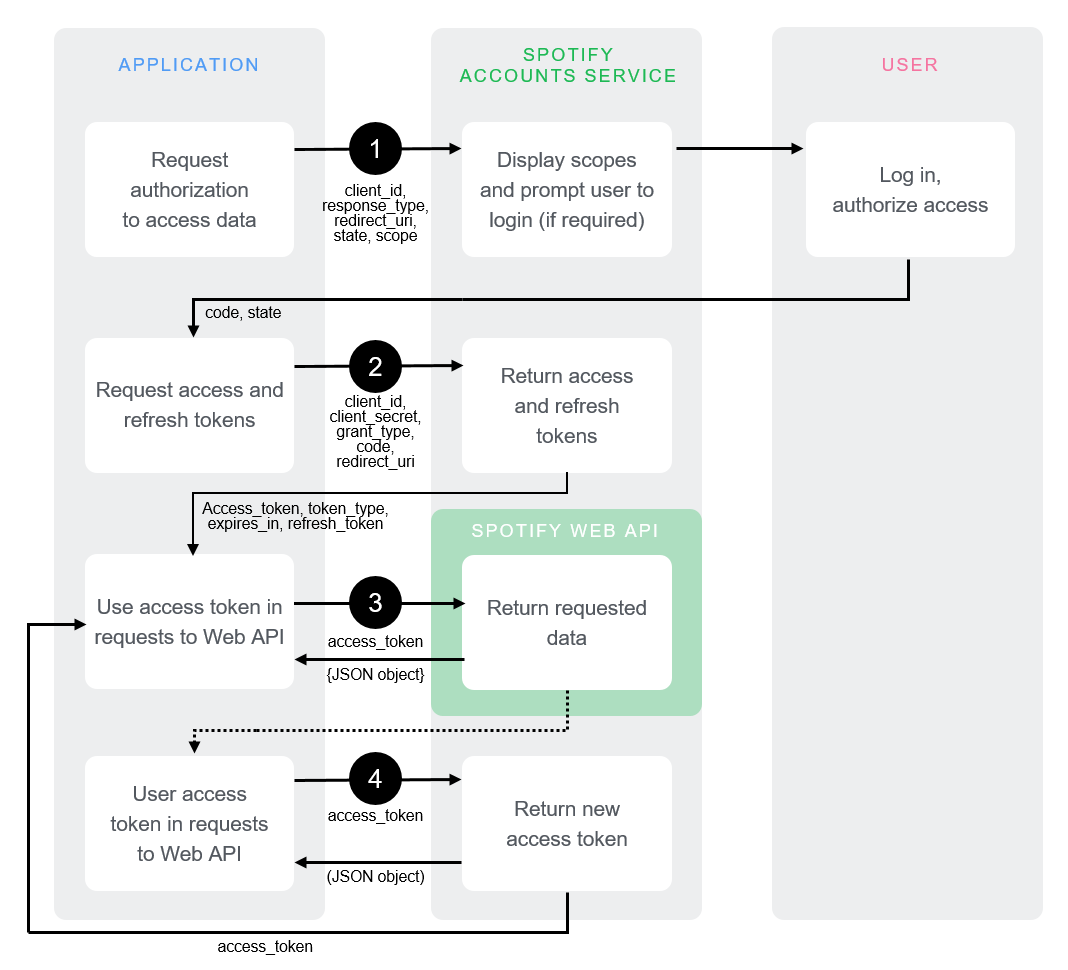
They way it works is that the user need to be redirected to Spotify where they can allow access to the application. If this is done a callback happens to a pre-specified URL. At the end there is an access token and a refresh token that can be used to reach the backend API. The full process can be seen on this image:
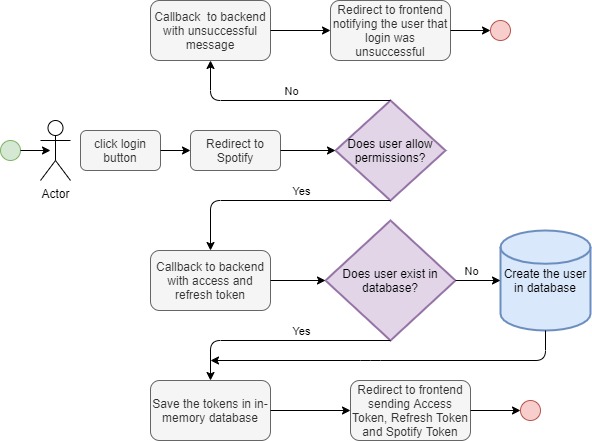
The entire flow including the Web backend looks like this: